· via Hacker News – Front Page (native)
Apple reverses macOS Tahoe's icons-on-every-menu default in Golden Gate
Apple has removed the icons-on-every-menu default that shipped with macOS Tahoe, and its updated Human Interface Guidelines now cite the approach as an example of what not to do on macOS.
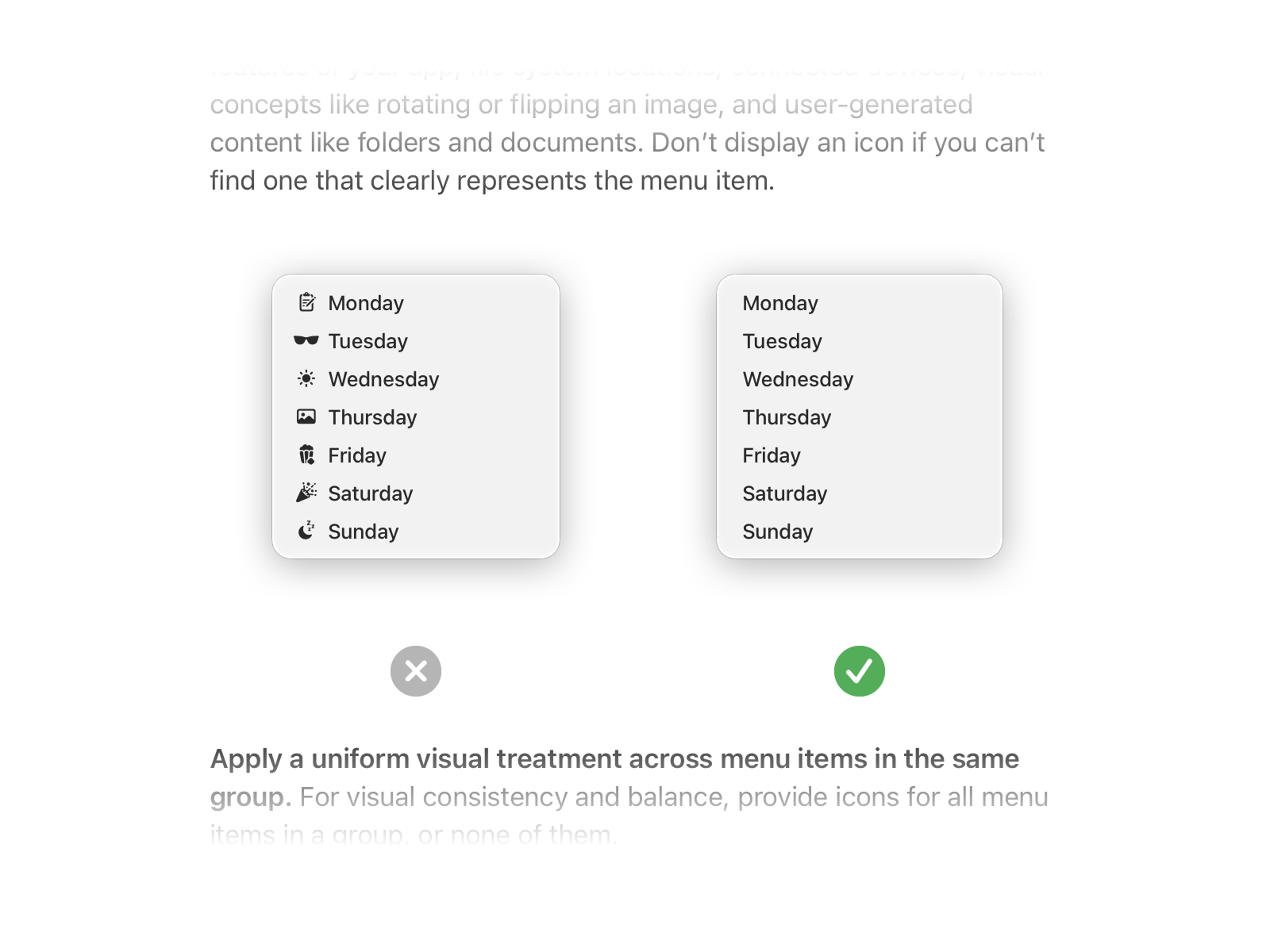
Apple reverses the icon-heavy menu default
Apple has rolled back one of macOS Tahoe's most debated interface choices: attaching an icon to every menu item by default. According to Jim Nielsen, writing on his blog, that default is gone in Golden Gate, the macOS release that follows Tahoe — roughly a year after the design first shipped.
The change goes beyond the software itself. Nielsen points to earlier reporting by John Gruber from June, which noted that Apple's revised Human Interface Guidelines explicitly hold up Tahoe's treatment of menus as an example of what designers should avoid on macOS. Apple has, in effect, turned one of its own shipped features into a documented anti-pattern.
A one-year experiment
When Tahoe introduced icons across menus, Nielsen was among the critics. One argument he leaned on at the time was simple: Apple itself did not put icons in its menus. Once Tahoe arrived, that line of reasoning collapsed, because the platform vendor had adopted the very pattern he opposed.
The reversal restores his position — and, he argues, strengthens it. The case is no longer that Apple avoids the practice; it is that Apple tried the practice, shipped it, lived with it for about a year, and then publicly rewrote its design guidance to warn against it. In his view, that record carries more weight than precedent alone, because abstaining from something you have never attempted says far less than abandoning it after real-world use.
Implications for developers
For anyone building macOS software, the updated guidelines provide a first-party reference that can settle design arguments. Apps that copied Tahoe's icon-dense menus in order to match the platform's new look now sit outside Apple's own recommendations, and the Human Interface Guidelines give designers a citable reason to keep menus text-first except where an icon genuinely aids recognition.
Nielsen also frames the move as a notable admission. In his reading, large companies seldom single out their own recent releases as cautionary tales in official documentation, and Apple doing so here turns a quiet code change into a lesson the entire ecosystem can read.
Why it matters
Menu design may seem small, but platform defaults propagate: third-party developers tend to follow what the operating system does and what the guidelines prescribe, so a default that ships in macOS shapes thousands of applications. The episode also gives the long-running debate over icon clutter a concrete data point — after roughly a year of real usage, Apple concluded that decorating every menu entry was a mistake, and said so in writing. And as Nielsen notes, the reversion hands critics of icon-saturated interfaces a more durable argument than appeals to tradition: sometimes the most persuasive case against a pattern is a major platform shipping it, and then walking it back.
- #macos
- #apple
- #ux
- #design
- #human-interface-guidelines