· via Hacker News – Front Page (native)
Deep dive frames the browser's main thread as frontend performance's costliest resource
A technical post that reached Hacker News' front page argues that main-thread blocking, not bundle size or caching, is what makes interactive screens freeze, and lays out tactics for spending the thread wisely.
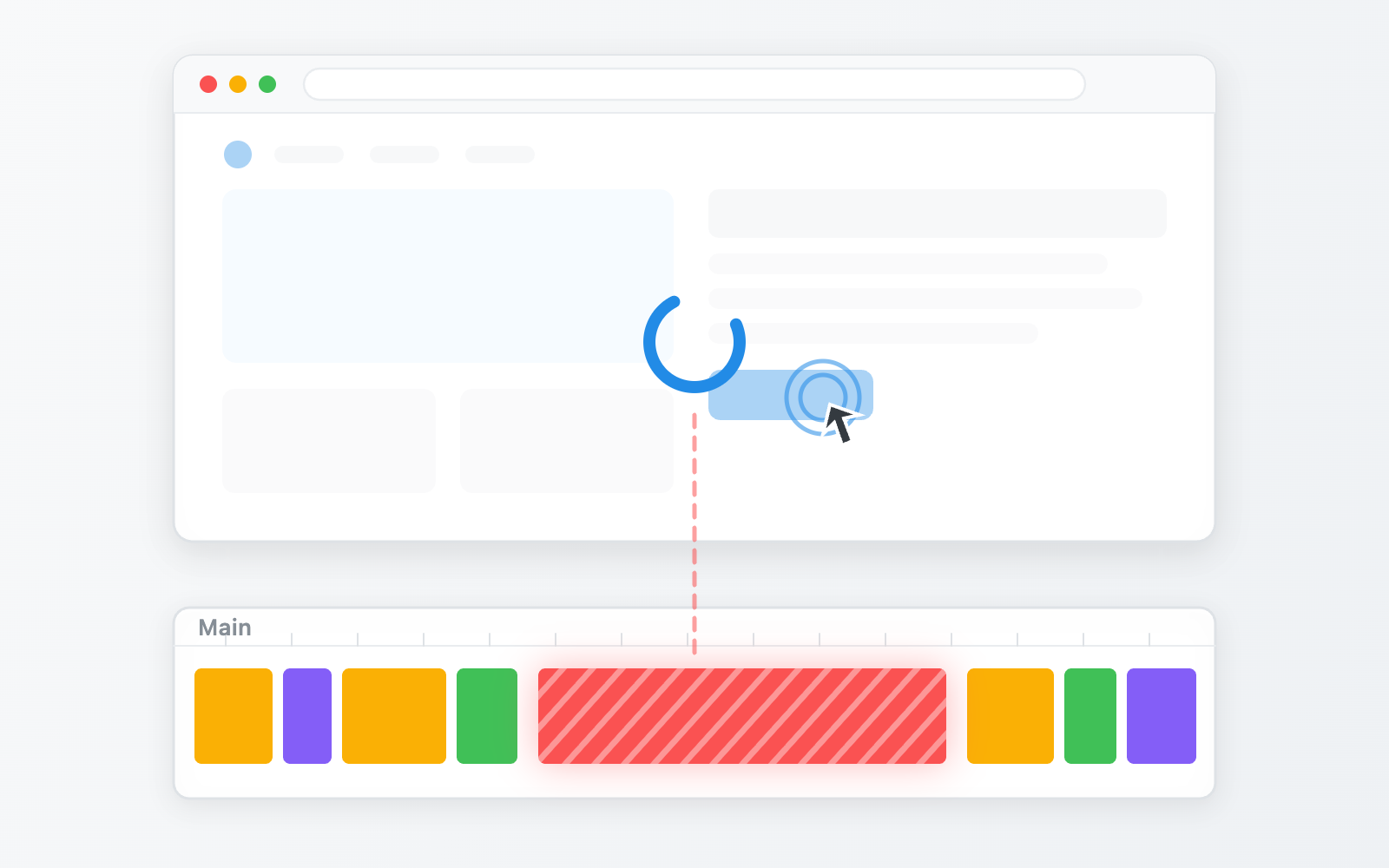
A long-form engineering post titled "The Browser's Main Thread Is Expensive," published on kciter.so and currently on Hacker News' front page, makes the case that frontend performance work systematically overlooks the resource that matters most once a page gets genuinely interactive.
The author's opening observation is that most optimization conversations revolve around shrinking bundles, cutting network requests and tuning caches. Those techniques are fine, the post argues, but they miss the mechanism that actually freezes a screen: when the main thread is blocked, no amount of network or bundle savings helps. The symptoms are familiar and subtle — scrolling that stutters occasionally, a button that responds a beat late, typed characters appearing slightly behind your keystrokes.
One thread, two jobs
According to the post, the browser runs many threads, but nearly everything reachable from developer code is concentrated on a single one: the main thread. It handles two broad categories of work.
The first is running JavaScript — application code, event handlers, timers, network response callbacks and framework internals, all processed in queue order with no relationship to the screen's refresh cycle. The second is drawing the screen. When the DOM or styles change, the main thread walks through requestAnimationFrame callbacks, style calculation, layout (also called reflow) and paint. Only the final compositing step is handed to a separate compositor thread, which means most of the front half of the rendering pipeline belongs to the main thread.
This split explains a detail the post demonstrates with a live demo: when JavaScript seizes the main thread, a JS-driven animation and a text input both freeze, but a CSS animation using transform keeps spinning, because it runs on the compositor thread.
Budgets and long tasks
The post quantifies the constraint. On a common 60Hz display, the browser has roughly 16.6 milliseconds to produce each frame, and once the browser's own overhead is subtracted, the practical budget is usually around 10 milliseconds. On a 120Hz device, that budget is halved.
Because JavaScript uses a single-threaded event loop, a function that runs for 200 milliseconds holds the thread for that entire span — no repaints, no clicks processed. The post notes that such tasks are called long tasks, and anything above 50 milliseconds is generally treated as a problem.
The author connects this directly to standard web performance metrics: INP (Interaction to Next Paint), which measures how quickly the screen responds after user action, and TBT (Total Blocking Time), which measures how long the thread was blocked during load, are both essentially expressions of main-thread occupancy.
Splitting as the foundation
The post organizes fixes into two families: dividing the thread's time well from within, or moving work off the thread entirely. The first family rests on four moves the author names splitting, batching, prioritizing and deferring — the first two shape how large tasks are, the last two decide when they run. Splitting is described as the foundation, since tasks need boundaries before anything can be slotted between them or pushed back.
The central worked example is a live-stream chat pane. On popular streams, chat can burst to hundreds of messages per second, arriving in clumps of dozens, with hundreds of backlogged messages landing at once when a viewer joins. Rendering an entire clump in one task means hundreds of back-to-back cycles of DOM creation, style calculation, layout and paint — during which the viewer's own typing input stutters and other animations hitch.
The fix, per the post, is cutting the clump into small pieces and yielding control of the main thread between them, letting the browser catch up on queued screen updates and input. The author's accompanying demo contrasts an "immediate render" mode, where frame rates drop sharply during a chat flood, with a "yielding render" mode where messages still appear one at a time but input responsiveness returns.
Why it matters
The post is a useful corrective to a common debugging instinct. When developers see jank, the author argues, they tend to interrogate their algorithms for slowness — when in most cases the code isn't slow, it's simply holding the thread at the wrong time. For teams building data-dense, real-time interfaces, the practical takeaway is that task shape and yielding discipline matter as much as raw compute cost, and that INP and TBT are best treated as measurements of how carefully one very expensive thread is being spent.
- #frontend
- #web-performance
- #main-thread
- #browser
- #inp