· via GitHub Blog
GitHub now surfaces ACCESSIBILITY.md files on repository overview pages
GitHub now recognizes ACCESSIBILITY.md as a community health file, showing project accessibility goals, known barriers and reporting paths directly on repository overview pages.
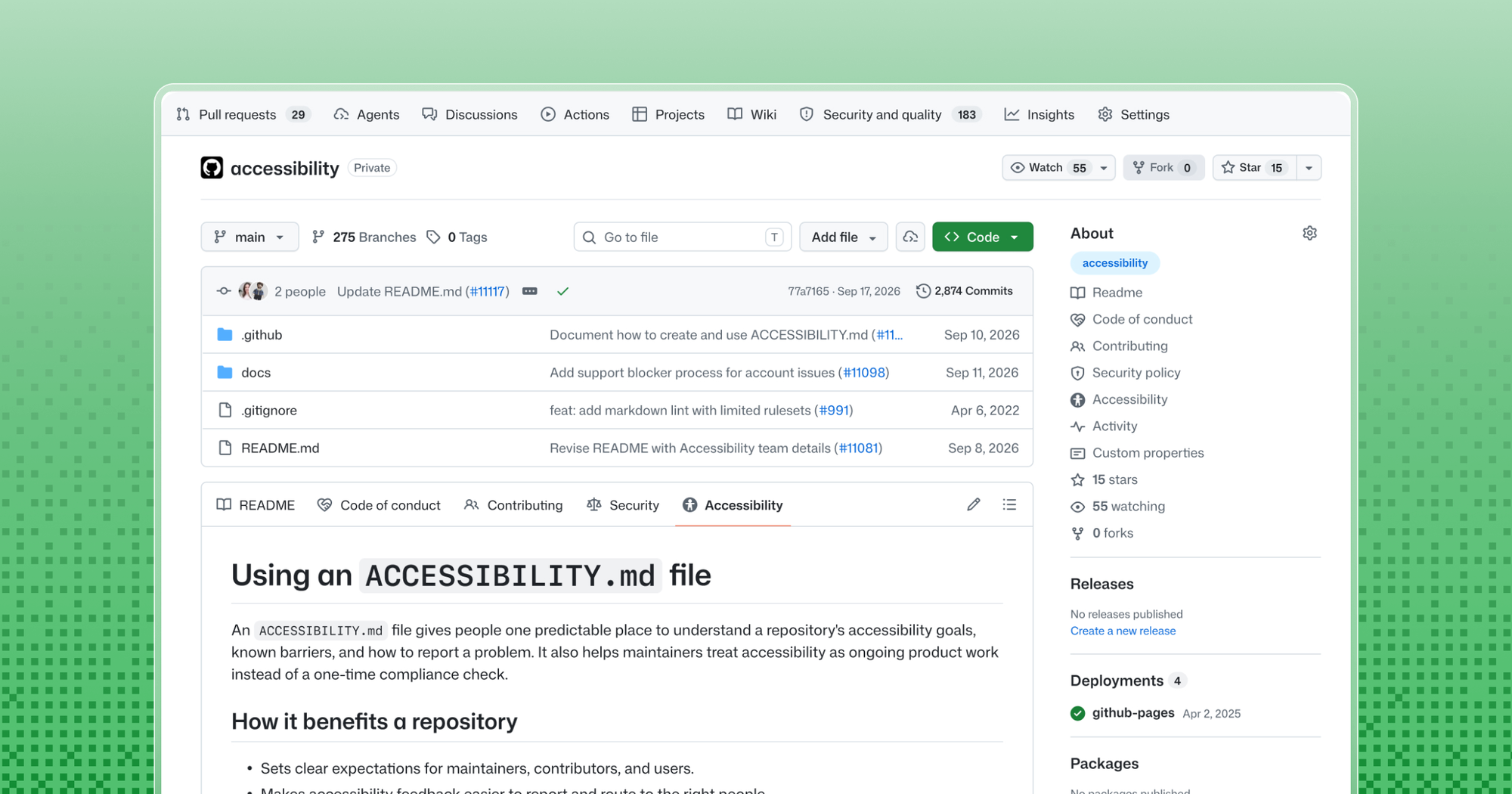
GitHub makes accessibility statements a standard project file
GitHub now natively highlights ACCESSIBILITY.md files, giving open source maintainers a conventional place to publish how their projects handle accessibility. According to the GitHub Blog, the file appears on repository overview pages once added, so anyone arriving at a project can find its accessibility position without digging through issues or chat logs.
The motivation GitHub describes is fragmentation: accessibility information typically ends up spread across issue trackers, contribution guidelines, audit reports and individual maintainers' heads. When there is no predictable location for it, users who encounter a barrier have to hunt for answers, and projects lose that context as contributors and ownership change over time.
Where the file is recognized
The GitHub Blog explains that ACCESSIBILITY.md is recognized when placed in the repository root, the .github/ directory or the docs/ directory. Repositories can also inherit a statement from their organization's .github/ repository, so a project without its own file still shows organizational guidance. Maintainers of public repositories can add or propose a statement from the Insights > Community Standards panel, which offers a short starter template.
The file joins GitHub's existing community health files, alongside contribution guidelines, codes of conduct and security policies, which together explain how a project operates. New repositories also include an accessibility issue label by default, which maintainers can use to organize and track incoming barrier reports.
How GitHub's own teams use it
Two of GitHub's own projects illustrate what a statement can contain. The GitHub CLI's accessibility statement documents the settings it supports, known barriers and workarounds. For example, it explains that table-formatted output is hard to follow with a screen reader and offers a command that prints pull request numbers and titles one per line instead. It also asks contributors who change prompts or output to show the results with the relevant accessibility settings enabled.
The GitHub Annotation Toolkit's statement covers a limitation of its Figma library: annotations convey relationships through canvas position, connecting lines and matching numbers, and accessing individual canvas objects does not necessarily communicate those relationships. The statement asks collaborators to supply a structured text description identifying each annotated element, its intended semantics and behavior, and any relevant ordering. It also states plainly that the library has not undergone keyboard-only or screen-reader testing, so readers know exactly what has and has not been verified.
What GitHub suggests the file contain
There is no mandated format; GitHub notes that a small library, a command-line tool, a documentation site and a large web application have different users, risks and maintenance capacity. The recommended starting point is accurate information the project can actually keep current.
Suggested sections include: why accessibility matters to the project and which experiences receive attention; the checks, evidence or review practices expected of contributors, including instructions for both human contributors and coding agents; a direct and accessible reporting route; how maintainers acknowledge, triage and communicate about reports; the supported platforms, browsers, input methods and assistive technologies; known limitations described with workarounds and links to tracking issues; who owns and maintains the statement; and how to suggest improvements.
GitHub's reporting guidance is specific: invite context such as the affected task, observed behavior, browser, operating system and assistive technology, but keep screenshots and recordings optional, and never require someone to disclose a disability. The blog also cautions that naming a Web Content Accessibility Guidelines version and level as a target is not the same as a conformance claim, which requires an evaluation identifying the scope, date, method and evaluator. Projects wanting a fuller reference can adapt the Open Source Accessibility Toolkit's public example.
Why it matters
This moves accessibility from an ad hoc, often invisible concern to a documented and discoverable part of project hygiene, the same normalization path that codes of conduct and security policies followed once GitHub gave them standard file names. For users with disabilities, it creates a predictable place to learn what works, what does not, and how to report problems. For maintainers, it preserves accessibility context across contributor turnover and sets expectations up front, including for the growing share of code written by automated agents. The broader bet is cultural: if adding an ACCESSIBILITY.md becomes as routine as a README, accessibility becomes part of how open source projects plan and build rather than an afterthought.
- #github
- #accessibility
- #open-source
- #documentation
- #community-standards