· via Hacker News – Front Page (hnrss.org)
MikroTik's $1,100 CRS804 puts 1.6Tbps of 400GbE switching on the desktop
ServeTheHome has been running MikroTik's CRS804-4DDQ as the RDMA backend for an NVIDIA GB10 cluster for months. The half-width switch offers four 400GbE ports for around $1,100.
A 400GbE fabric for desktop money
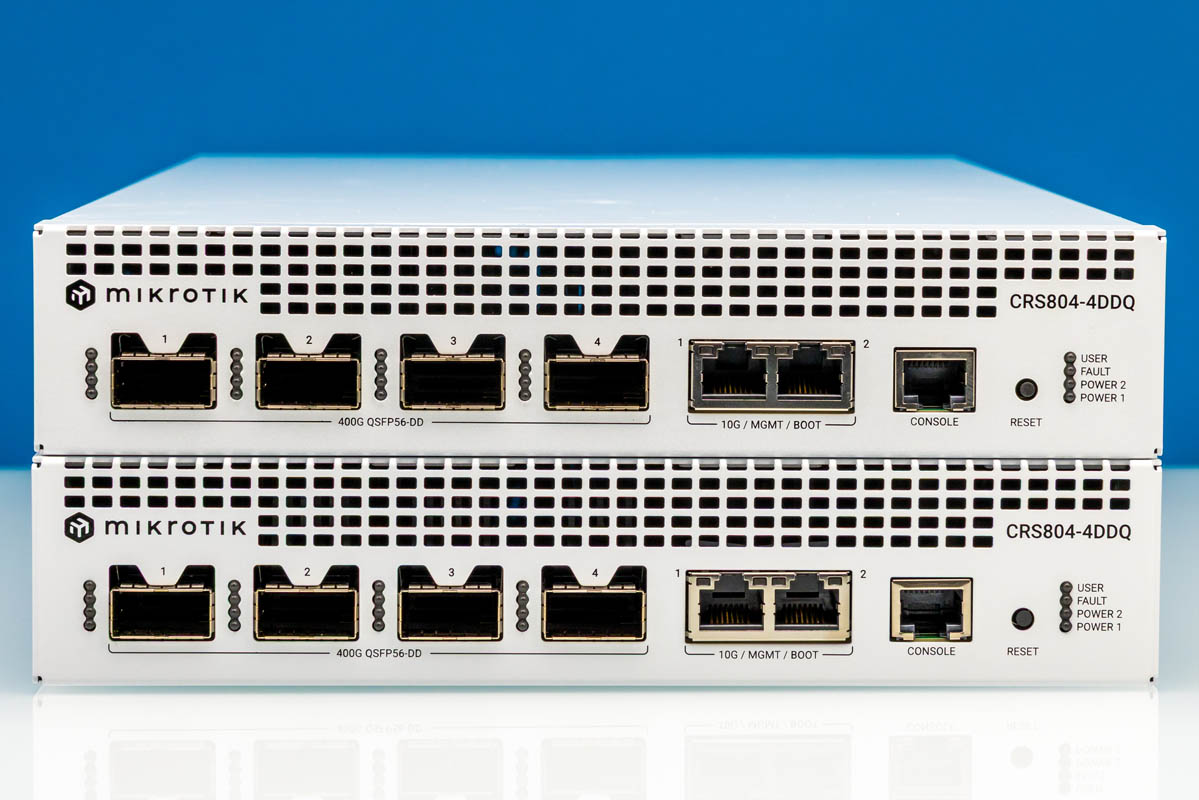
ServeTheHome has published a review of the MikroTik CRS804-4DDQ-hRM, a compact half-width switch with four QSFP56-DD ports running at 400GbE each, for 1.6Tbps of total switching capacity. The outlet is not just benchmarking it on a bench: it has used one unit as the RDMA network backend for an eight-node NVIDIA GB10 cluster for several months, and a second unit runs an NVIDIA GB300 Station cluster with DR4 optics. The review has since drawn significant attention on Hacker News.
The list price is $1,295, but ServeTheHome reports a street price of around $1,100, which lands under $0.70 per Gbps. The review puts that in perspective by comparing it to a basic 8-port 1GbE switch at roughly $5.50 per Gbps. The absolute price is not trivial, but on a cost-per-gigabit basis the outlet considers it genuinely cheap for new switching hardware. Demand is high, so availability can be tight.
Ports, breakout and cabling caveats
The headline detail for buyers is the connector type. The four high-speed ports are QSFP56-DD, not the QSFP112 found on machines like the NVIDIA GB300 station, and not the OSFP used on higher-end switches such as the NVIDIA Spectrum-X series or many ConnectX-8 and ConnectX-9 network cards. Anyone shopping for DACs or optics needs to match QSFP56-DD specifically.
Four ports may sound limiting, but each can be broken out into 2x 200GbE QSFP56 connections, with further options beyond that, giving smaller hosts a cheaper on-ramp while reserving full 400GbE links for the machines that need them.
Management traffic is kept separate from the fabric. Two 10Gbase-T ports connect to the switch's management processor rather than the switching silicon, a serial console port handles out-of-band access, and a reset button sits on the front panel.
Chassis, power and cooling
Physically, the switch is 218mm wide — half a rack width — but 387mm deep. ServeTheHome flags that depth as a real constraint: racks and shelving sized for compact half-width lab switches may struggle to fit several of these at once. Mounting holes on the sides and included rack ears support either half-width or standard 19-inch installation.
Power comes from two redundant Gospower 350W supplies, both hot-swappable, and the review notes the switch is unlikely to come anywhere near that ceiling in normal operation. The two fans are also hot-swappable, and both the supplies and fans are mounted at the rear.
Why it matters
400GbE has historically lived in data-center top-of-rack territory, with prices to match. A desktop-sized switch offering 1.6Tbps of aggregate capacity at roughly $0.70 per Gbps changes what a small team or lab can build. The review itself is the proof: this hardware has quietly carried RDMA traffic for an NVIDIA GB10 cluster and a GB300 Station deployment for months, the kind of fabric work that used to require enterprise spending.
For developers building GPU clusters, distributed storage backends or anything where the network is the bottleneck, the shift here is economic rather than technical. A serious high-throughput backend no longer demands hyperscaler budgets, and a switch like this slots neatly alongside AI dev machines that increasingly ship with 200GbE-or-faster interfaces. The caveats are worth repeating: check connector compatibility (QSFP56-DD, not QSFP112 or OSFP), measure rack depth before buying, and expect supply to be sporadic. On the cost-per-gigabit metric, though, this class of hardware is crossing into affordability for the first time, and the attention the review received suggests a lot of people are ready for it.
- #mikrotik
- #networking
- #400gbe
- #hardware
- #ai-clusters