· via Hacker News – Front Page (native)
Sqrin adds zoomable screen sharing and a gliding pointer to Mac video calls, minus the clunky setup
A new Mac app launched on Hacker News layers a zoomable virtual display and a large animated pointer over Zoom, Teams and Meet screen shares, with a free tier and one-time licenses.
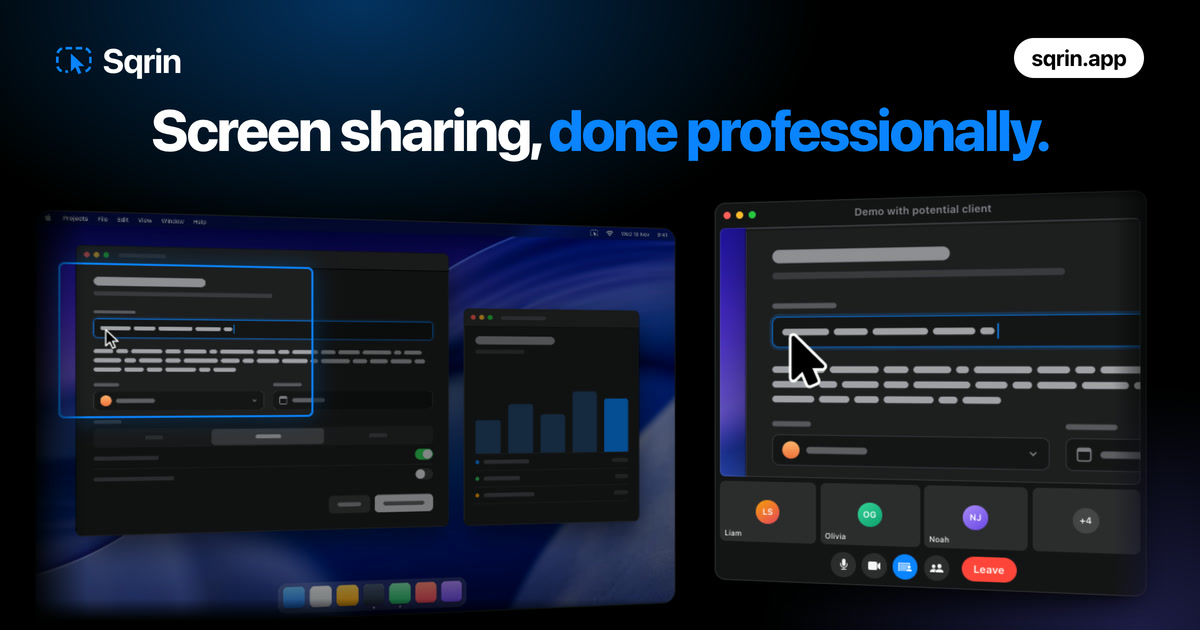
Sqrin, a new Mac utility introduced through Hacker News's Show HN, is designed to make live screen sharing look closer to a polished, pre-recorded demo. The app overlays a zoomable canvas and a large, smoothly animated pointer onto screen shares in Zoom, Microsoft Teams, Google Meet and other meeting software, so viewers follow the action instead of squinting at a full desktop.
How it works
Rather than integrating with any single video platform, Sqrin takes an operating-system-level approach. According to the product's site, the app adds a virtual display named Sqrin to the Mac. Inside your meeting app, you share that display the way you would share any other screen — not a window, and not the machine's built-in display.
The sharing flow has two steps. First, you click the Sqrin icon in the menu bar, choose Start Sharing, and pick either an entire screen or a single window to capture. Second, you start a normal screen share in your meeting and select the Sqrin display. The site notes that if a meeting app relies on macOS's own screen picker, Sqrin can handle the selection for you; if prompted, you approve the share and hold the modifier keys.
Zoom, framing and the pointer
Zooming is driven by keyboard and scroll input: hold Control and Option while scrolling to zoom in or out, or use Control-Option-1 and Control-Option-2 for finer control. The visible frame behaves a bit like a camera operator — it stays in place until the pointer approaches its edge, at which point it slides along with the cursor. Users can choose how the frame moves while presenting.
The pointer gets its own treatment. Viewers see a large cursor that glides between positions, with a ripple effect on every click, while the presenter keeps their ordinary, unchanged pointer.
An experimental feature called Auto Zoom goes a step further, deciding when and where to zoom based on pointer movement and interactions with interface elements. The site emphasizes that this runs entirely on the Mac and involves no cloud AI.
Privacy, permissions and pricing
Sqrin's site stresses that everything runs locally: the screen content goes only to the meeting app you share it with. The app does request macOS Accessibility access, which it needs so the zoom shortcuts work across all applications.
The free version includes the full feature set apart from a branded standby screen, but it shows a small Sqrin watermark to other participants and cuts off sharing after 15 minutes. There is no daily cap, and sharing can be restarted after a 30-second pause.
Paid tiers remove those restrictions. A lifetime license carries a regular price of $49.99, currently discounted 30 percent to $34.99 as a one-time purchase. It lifts the time limit and watermark, allows activation on up to two Macs, includes future updates, and adds a branded standby screen — a customizable logo, background and short text shown before a window is selected or while sharing is paused. A team option at 40 percent off, $29.99 per license, provides a separate key for each person with the same two-Mac allowance.
Why it matters
Screen sharing has changed remarkably little while video calls became the default medium for software demos, code reviews and support sessions. Presenters routinely share an entire desktop and expect viewers on a laptop to read small text and track a small cursor. That mismatch is the friction Sqrin targets: the zoomed frame and enlarged pointer are meant to keep viewers oriented without constant effort from the presenter.
The virtual-display approach is also the clever part. Because the app simply presents a display that any meeting software can capture, it works with Zoom, Teams, Meet and anything else that shares a screen, and it does not depend on vendor plugins or APIs that could break or be deprecated.
There are limits worth noting: it is Mac-only, the free tier's watermark and 15-minute cap will push frequent presenters toward the paid license, and Auto Zoom is explicitly experimental. For developers and others who regularly walk through software on calls, though, a one-time-purchase tool that makes live demos legible is a small fix for a daily annoyance.
- #mac
- #screen-sharing
- #video-conferencing
- #productivity
- #developer-tools