· via Hacker News – Front Page (native)
Unsung reference catalogues Windows vs Mac keyboard gotchas for cross-platform web apps
An Unsung reference featured on Hacker News's front page details how Windows and Mac keyboards differ in key names, modifiers, symbols and shortcut notation, a hazard list for cross-platform web apps.
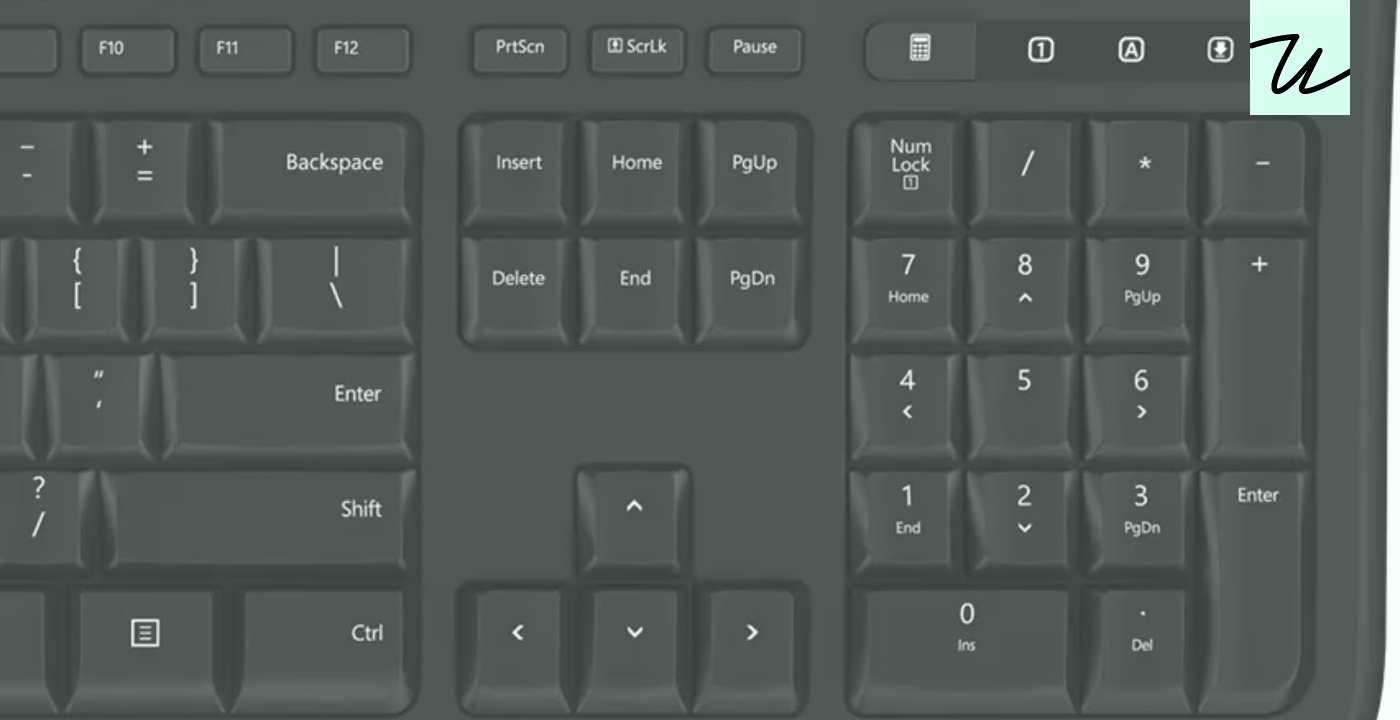
A reference post on Unsung, currently on the Hacker News front page, gathers years' worth of quirks in how Windows and Mac keyboards differ — key names, modifier keys, symbols, shortcut notation and character entry — into a single document. The author frames it as a plain reference, aimed partly at developers of web apps, which typically serve both platforms from one codebase.
The naming mismatch
Windows calls the key that erases backwards Backspace; macOS calls the same key Delete. What Windows labels Delete, Macs label Forward Delete, so the bare word "Delete" is ambiguous without a platform qualifier. The return key follows the same pattern: Windows says Enter, Macs say Return. According to the post, Macs also have a separate Enter key on numeric keypads — once present on laptops as well — that can be simulated with Fn+Return. Most Mac software treats the two identically, but the author notes holdouts: Photoshop inserts a new line on Return while Enter commits, and older professional tools such as Cubase and Pro Tools also distinguish them, though the practice is fading. Third-party keyboards almost always use Windows wording for these keys, per the post, sometimes offering Mac legends only on modifiers.
An extra modifier on the Mac
Ctrl on Windows maps to Command on the Mac for primary shortcuts — paste is Ctrl+V on one platform and ⌘V on the other. Apple devices keep a Control key anyway, originally for terminal software, now serving as a lower-stakes supplementary modifier. Counting usable modifiers, the post puts Windows at Ctrl, Alt and Shift versus the Mac's Command, Option, Control and Shift — one more slot — excluding keys reserved by the operating system, such as the Windows key and Globe/Fn.
Symbols versus words
Apple leans on symbols for keys and menus — ⌘ Command, ⌥ Option, ⇧ Shift, ⌫ Delete, ⇥ Tab, ⎋ Esc — while Windows keyboards spell out words, abbreviating under space constraints (Ctrl, Bkspc, PrtSc) and localizing them, as with Strg for Ctrl in Germany. The post catalogs Apple's odder choices: modern full-size Mac keyboards reuse plain up and down arrows for Page Up and Page Down, with ⤒ and ⤓ for Home and End, and the 2026 models unified symbol conventions across all keyboards, leaving Esc as the only word-only legend. A few symbols have crossed to Windows hardware, including ⇧, ⏎ for Enter, ← for Backspace, ⇥ for Tab, ⊞ for the Windows key and ≣ for the contextual menu key — a key the author observes Microsoft has been phasing out in favor of emoji, Office and Copilot keys.
How each platform writes shortcuts
Windows menus join keys with plus signs, as in Ctrl+Shift+G; macOS concatenates symbols, as in ⌃⇧G. The same Chrome menu renders differently on each platform, a detail that matters for any interface displaying keyboard hints.
Function keys
On Windows, function keys were traditionally claimed by the operating system and apps — Alt+F4 closes an app, F1 opens help, F11 maximizes a window, F12 opens browser dev tools. On Macs they were traditionally left for users to define, aside from some Control-plus-function combinations reserved for accessibility. Windows keyboards stop at F12, while some Mac keyboards extend as far as F19 by repurposing other keys, according to the post.
Hidden characters behind Option
Holding Option, optionally with Shift, while pressing printing keys on a Mac produces extra characters — ⌥Q yields œ, ⌥7 yields ¶ — and these assignments change with the keyboard locale, for example between US English and Polish. Because nearly every printing key has such an assignment, the author advises steering clear of Option-based shortcuts in text fields. Windows takes a different route, entering characters by code via Alt plus numeric keypad keys, such as Alt+0128 for €, with Num Lock enabled.
Why it matters
Web apps run the same code against both platforms, so everything that touches the keyboard — shortcut handling, help text, on-screen hints, documentation — has to speak two vocabularies. Labeling a key "Delete" or binding a shortcut to Option inside a text field can confuse or misfire for half of the audience. The Unsung compilation exists precisely because these gotchas accumulate quietly over the years, and collecting them in one reference saves each developer from rediscovering them one bug at a time.
- #keyboards
- #cross-platform
- #macos
- #windows
- #web-development