· via Vercel blog
Vercel adds session-aware AI Gateway logs with per-session cost and routing detail
Vercel's AI Gateway logs now include a Sessions view that groups requests by conversation, showing the coding agent behind each one, its cost and cache hit rate, and how session affinity routed every turn.
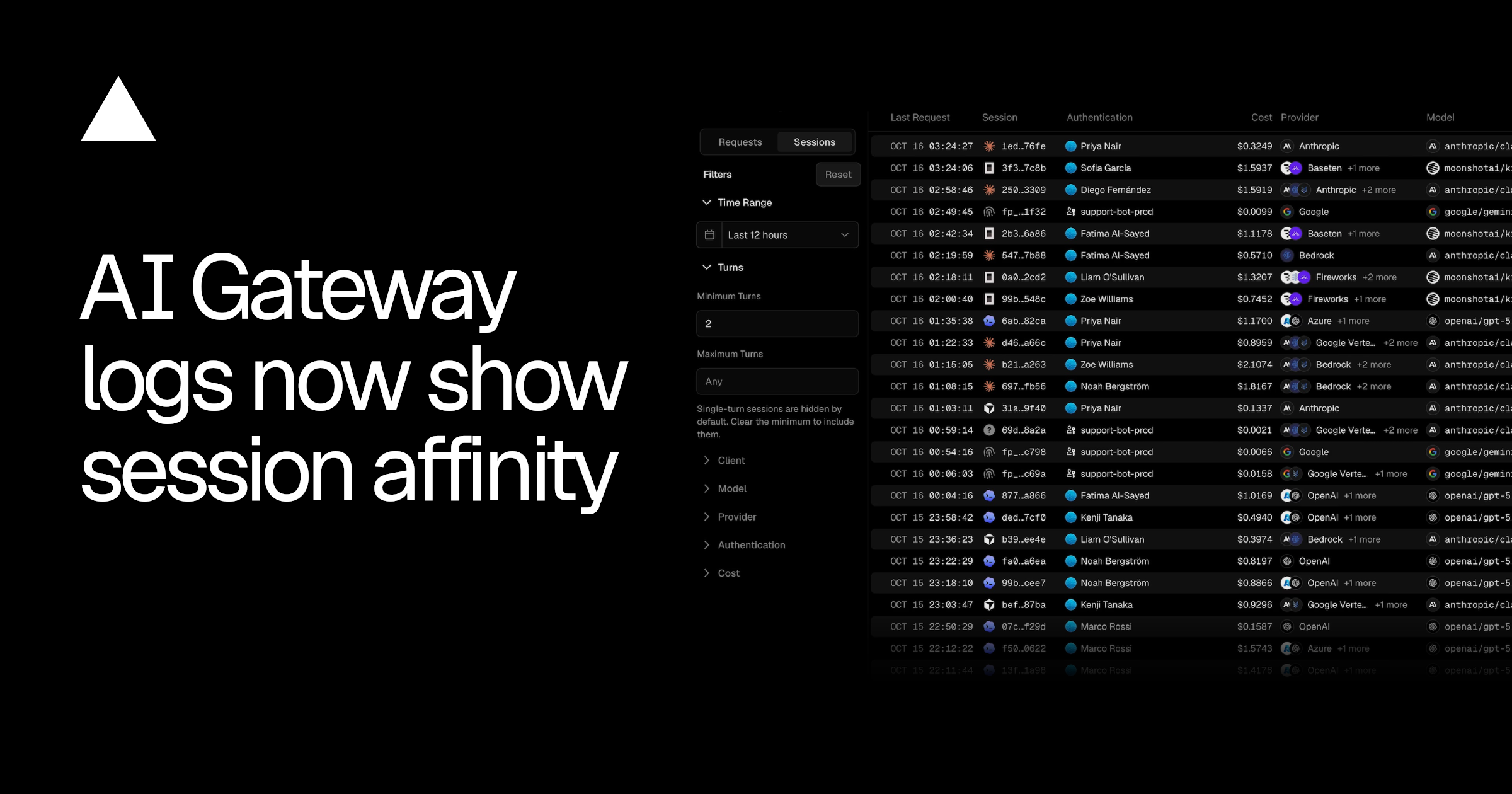
A session-level view of AI traffic
Vercel has added a Sessions view to its AI Gateway logs, the company announced in a changelog post. Instead of presenting traffic as a stream of individual requests, the new view groups requests into conversations and surfaces how each one was routed under session affinity.
Each row identifies the client that ran the session — Vercel names coding agents such as Claude Code, Codex and Cursor as examples — alongside the session's cost, the models and providers involved, and how much input came from cache over the whole conversation.
Opening a session shows its cache hit rate, duration and a turn-by-turn path. The path lists each turn with its model and timing, and names the provider currently serving the session as well as any earlier ones, which makes it visible when a conversation moved between providers mid-session.
How session affinity works
Session affinity sends each turn of a conversation to the provider that handled the turn before it. Because that provider has already processed the earlier turns, most of the prompt is typically already sitting in its cache, so a conversation that stays on a single provider can pull a larger share of every prompt from cache rather than reprocessing it.
According to Vercel, session affinity runs by default on text and chat requests. Teams that want to define sessions themselves can send the same sessionId in providerOptions.gateway, or the same x-session-id header, on every request in a conversation.
Requests that carry neither identifier are grouped by a fingerprint derived from how the conversation opened, and show up in the logs as fingerprinted sessions.
Filtering the sessions list
The view supports filters for number of turns, client, model, provider, authentication and cost. Single-turn sessions are hidden by default and only appear once the minimum turns filter is cleared — worth knowing if a session seems to be missing from the list.
Why it matters
Agent-style tools like Claude Code and Cursor change the shape of LLM traffic: rather than one-off calls, they generate long conversations that resend a growing context with every turn. In that regime, prompt caching — and keeping a conversation pinned to one provider so the cache stays warm — becomes a significant lever on latency and cost, while a mid-session provider switch can quietly throw that benefit away.
Request-level logs make these effects hard to see. The questions teams actually ask — what did this agent session cost, which models did it touch, did it stay on one provider — span many requests at once. By making the session the unit of analysis, Vercel aligns its observability with how the work is really done: per-session cost figures suit internal chargeback and budget reviews, and the session path acts as a direct record of whether affinity held or broke down.
Vercel points readers to its session affinity documentation for further detail on how the gateway identifies sessions.
- #vercel
- #ai-gateway
- #developer-tools
- #llm-routing
- #prompt-caching