· via Vercel blog
Vercel adds customizable metric widgets to dashboard project cards
Vercel's Overview tab now lets teams swap the fixed Real Experience Score on project cards for metrics like firewall activity, error rate or page views, with the choice saved per project and synced across devices.
What changed
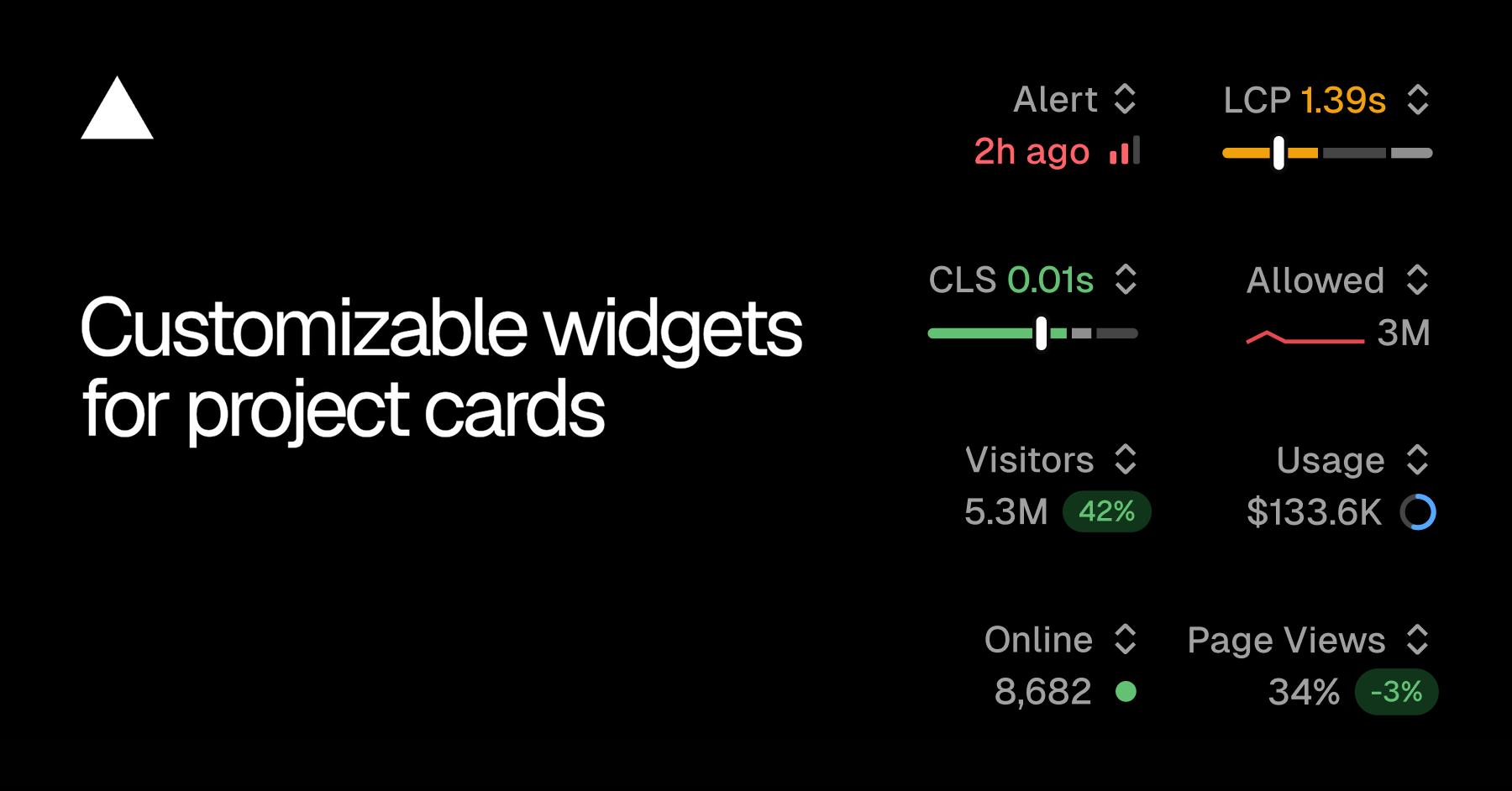
Vercel has updated the Overview tab of its dashboard so that teams can choose which metric appears on each project card. According to the Vercel blog, every card used to display a fixed Real Experience Score in its top right corner, whether or not that was the signal anyone on the team actually watched. That slot is now swappable on a per-project basis: Vercel's own examples are a security-sensitive project showing firewall activity and a marketing site showing traffic.
The available widgets
The widget options come from four of Vercel's product areas. From the Firewall product, cards can show allowed or denied requests. From Observability, there are alerts, edge requests, function invocations and error rate. Speed Insights contributes the original Real Experience Score alongside LCP and CLS. Web Analytics rounds out the list with visitors online, visitors and page views.
The spread is notable in itself. It pulls security, infrastructure and audience metrics into a single switcher, rather than treating the overview page as purely a performance surface.
How the choice works
The switcher sits in the top right of each project card, in the same position the Real Experience Score used to occupy. Opening the menu shows the current value of each available metric, so the numbers can be compared before committing to one. Once a metric is selected, Vercel says the choice is saved for that project and follows your account across refreshes and devices, meaning the preference is tied to your login rather than to a single browser session.
Enabling features without leaving the page
Some widgets depend on features that may not be switched on for a given project. Where that is the case, the widget menu can start the enable flow directly, without navigating away from the Overview tab. According to the Vercel blog, this inline flow is available for Speed Insights Plus, Web Analytics and alerts.
Why it matters
Fixed dashboards assume that everyone monitoring a deployment cares about the same number, and in practice they rarely do. An engineer handling incidents wants error rate and function invocations at a glance; someone running a campaign wants page views and live visitors; a security-minded operator wants to see denied requests. Until now, all of those people had to click into a project to reach their signal, because the card itself only spoke the language of performance.
Per-project, per-account customization removes that friction. It is a small change in scope, a single swappable slot on a card, but it reflects a broader shift in how deployment platforms treat the dashboard: less as a fixed report and more as a configurable workspace. The inline enablement points in the same direction, collapsing setup flows into the surfaces where people first discover the need for them.
For teams running many projects on Vercel, the practical effect is faster triage. The one number each project is most likely to be opened for is now visible on the Overview tab before anyone clicks through, and different team members can each keep the view that matches their role.
- #vercel
- #cloud
- #dashboard
- #observability
- #web-analytics